


About
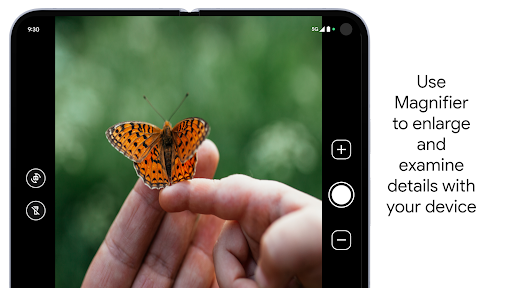
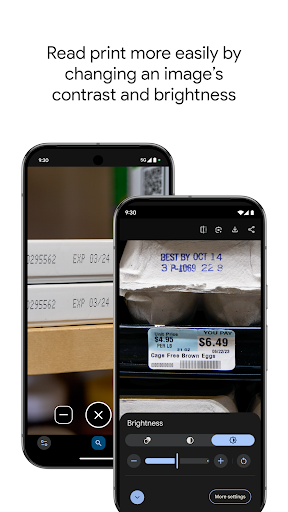
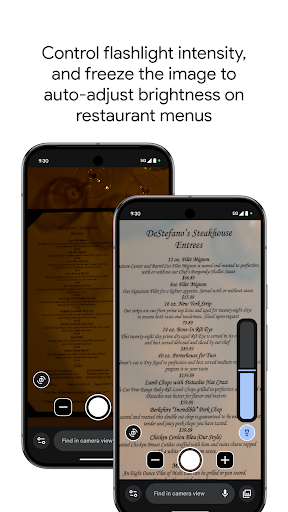
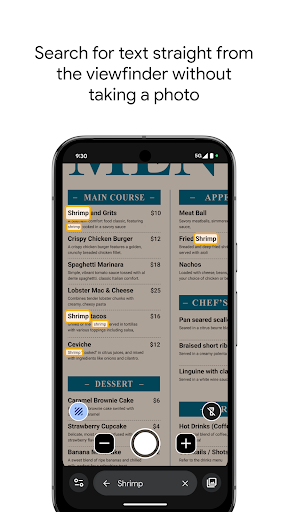
Use your camera to magnify small text, see object details, or zoom in on faraway text like street signs or restaurant menus behind a service counter. Search for words before or after you take a picture to find what you need on a menu, a departure board, or anything containing text. Apply visual effects to make low contrast text more visible. In low light environments brightness is automatically adjusted. You can also take photos and zoom in as much as you need. Get started: 1. Download Magnifier from the Play Store. 2. (Optional) Set up Magnifier to easily open via Quick tap: a. Open your phone's Settings app. b. Go to System > Gestures > Quick tap. c. Turn on Use Quick tap. d. Choose open app. Next to "Open app," tap Settings. Then select Magnifier. e. To open Magnifier, tap twice on the back of your phone. Magnifier requires Pixel 5 or later model.
Info
Genre
Tools
Rating
PEGI 3
Release
Oct 4, 2023
Last Update
<b>Foldable device expansion:</b><br>You can now take advantage of the bigger unfolded screen to view the world around you in even more detail.





Reviews
Ian Fridge
has potential, but on my Pixel 9, it doesn't switch to the right cameras to see in detail close-up. Regularly old camera does much better. fix that and I'd give 5 stars! be nice to have more options too. like marking on the screen while viewing, screen freezes where it doesn't take the picture but it holds it to examine if it's worth saving, then either discard or save. just a view.
Sylvain Dubrofsky
stopped working in quick settings
Jonathan Frye (Jon)
Works better than any magnifying glass Ive ever seen. I do wish the adjustable brightness of the flashlight was available in the status bar menu of my pixel 9 pro but that isn't this apps fault that they showed me a better flashlight but only in app and not system set. Made by Google, well I guess it is their fault!
Masud parves Tipu
nice
John Crowe
I actually use it all the time. Even though you can zoom in on some websites, you can't always get the best. best focus. I love this magnifier app. thank you for making it! it even has great detail on zoom in. urine
David Becker
This app's find word feature is something I've always wanted to do with my phone's camera. 100 out of 10 stars!
Laurence Berland
update: they added the ability to magnify pics! yay! og:this app is great for viewing stuff live but I wish I could use its zoom and filter features on photos I took with the normal camera app. like if I took a picture quickly of the menu at a restaurant. having to start with this app to use it on an image is a limitation for sure, but the photos app doesn't have the same nice zoom and filter options this has. let us open existing images with Magnifier and we'll get the best of both worlds :-)
Marla (Bankie)
Wow finally a useful, straightforward, GOOD app that wasn't forced upon me, but suggested. Incredible. Please google, more interactions like this. You simply capture what you want to see clearer, and the app enhances it to near crystal clear legibility.
Konrad Markiewicz
might as well use a camera
Terry King
Works great for what I need it for.
Dennis DeVenuto Jr.
Awesome, thoughtfully designed app. Can we please get a full-screen toggle to temporarily remove all controls? Thanks for listening to our feedback.